
How iTracker GPS Tracker Works in Bangladesh
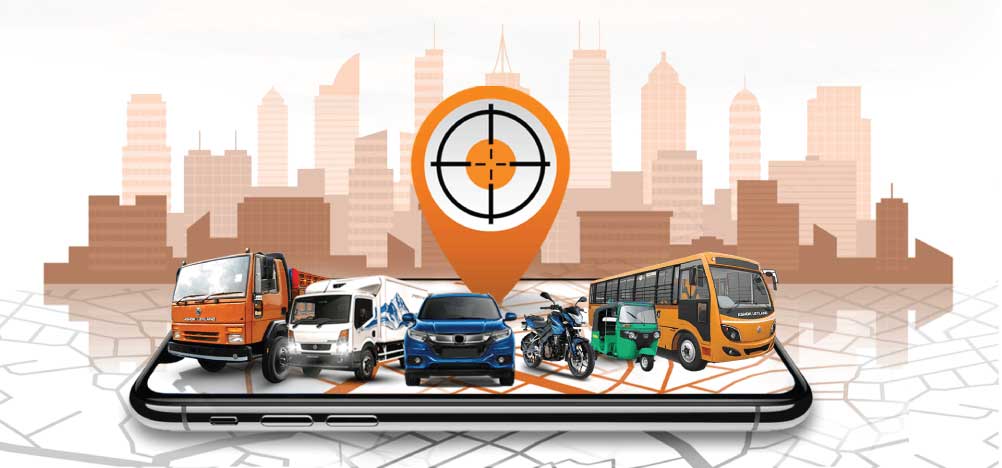
Getting started with iTracker is simple. From your first inquiry to live tracking on your phone, the entire process takes just a few days and is managed by our team from start to finish. BTRC licensed. Backed by IFAD Group since 1985. Professional installation across Bangladesh. 24/7 hotline support.
How Does a GPS Tracker Work?
A GPS tracker is a small device installed inside your vehicle. It connects to GPS satellites to find the vehicle’s exact location and sends that data to iTracker’s servers through Bangladesh’s mobile network in real time.
You see your vehicle’s live location, speed, route history, and receive instant alerts on your phone through the iTracker app or on your computer through the web dashboard. The device runs continuously in the background without any action needed from you or your driver.
The system has three parts working together — the GPS device in your vehicle, the iTracker platform that processes the data, and the mobile app or web dashboard that displays it to you clearly and simply.
Getting Started with iTracker — Step by Step
Step 1 — Choose Your Vehicle and Submit an Inquiry
Start by identifying the vehicle or vehicles you want to track. iTracker supports GPS tracking for all vehicle types across Bangladesh.
GPS tracker for car — GPS tracker for bike — GPS tracker for truck — GPS tracker for bus — GPS tracker for CNG — GPS tracker for ship
Once you know what you need, call 09613-566-566 or submit a price inquiry. Tell us your vehicle type, number of vehicles, and your location in Bangladesh.
Step 2 — Our Team Prepares Your Package
After receiving your inquiry, our team reviews your requirements and prepares the right package for you. We contact you within 24 hours with a full proposal including device details, subscription plan options, and pricing.
For businesses and corporate clients managing multiple vehicles, our team prepares a custom fleet package. Visit our fleet management solution page or corporate GPS tracking page to understand what is included.
Step 3 — Professional Device Installation at Your Location
Once you confirm your package, we schedule a device installation visit at your preferred location anywhere in Bangladesh. You do not need to bring your vehicle anywhere. Our certified technicians come to you.
Installation is done at your home, office, warehouse, or any location that suits you. A standard GPS device installation takes 30 to 60 minutes per vehicle. The device is fitted discreetly inside the vehicle with no visible external components.
For fleet clients with multiple vehicles, we deploy additional technicians to complete the work quickly with minimal disruption to your operations.
iTracker installs and services clients across all major cities and districts in Bangladesh. Visit our location pages for city-specific installation details.
GPS tracker in Dhaka — GPS tracker in Chittagong — GPS tracker in Sylhet
Step 4 — Download the iTracker App and Log In
After installation is complete, our technician sets up your iTracker account and hands over your login credentials. You download the iTracker app on your Android or iOS phone and log in immediately.
Your vehicle appears on the dashboard right away with its live location on the map. Our technician walks you through the key features before leaving so you are comfortable using the app from day one. Visit our iTracker app page to learn more about the app and how to download it.
Step 5 — Track Your Vehicle in Real Time
From the moment installation is complete, iTracker tracks your vehicle continuously. Open the app at any time to see the exact live location, current speed, engine status, and full trip history for your vehicle.
The iTracker platform is also accessible through a web dashboard on any desktop or laptop browser. Both the app and the web dashboard show the same real-time data so you can switch between them depending on what is convenient.
Step 6 — Receive Alerts and Stay in Control
iTracker sends automatic alerts to your phone so you are always informed without checking the app manually.
You receive alerts for overspeed events when your vehicle exceeds the limit you set, engine on and off events so you know every time your vehicle is started or stopped, geofence breaches when your vehicle enters or exits a zone you have defined, and sudden fuel level drops that could indicate theft or siphoning.
All alert thresholds are customizable. iTracker works quietly in the background and only notifies you when something needs your attention.
Step 7 — Use Advanced Features for Your Needs
Once you are comfortable with the basics, iTracker gives you access to a full range of advanced tools depending on your subscription plan. Individual vehicle owners can use remote engine shutdown to stop their vehicle remotely in case of theft. One tap on the app sends the shutdown command instantly to the device in your vehicle.
Fleet and corporate clients can access driver behavior monitoring with weekly driver performance reports, fuel monitoring with real-time fuel level tracking and theft alerts, and the full multi-vehicle fleet dashboard with automated reporting across your entire fleet. Schools and institutions managing student transport can access the school bus tracking system with route monitoring, overspeed alerts, and geofencing for pickup and drop-off zones.
What iTracker Shows You on the Dashboard
Every tracked vehicle displays the following information on the iTracker app and web dashboard in real time.
Live location — The exact current position of your vehicle on a map, updated continuously.
Current speed — How fast the vehicle is moving at any given moment.
Engine status — Whether the engine is currently on or off.
Trip history — A complete log of every trip including start time, end time, route, distance covered, and stops made.
Alert log — A history of all alerts triggered including overspeeding, geofence breaches, and engine events.
Fuel level — For vehicles with fuel monitoring, current fuel level and consumption data per trip.
Driver behavior data — For fleet clients, a breakdown of overspeeding, harsh braking, sudden acceleration, and idle time per driver per trip.
How Accurate is iTracker GPS Tracking?
iTracker uses GPS satellite technology combined with Bangladesh’s mobile network to deliver accurate, reliable location data. Under normal conditions with good signal, location accuracy is within a few meters of the vehicle’s actual position.
Location updates happen in real time with minimal delay. In areas with temporary mobile network loss, the device stores data locally and syncs it automatically when connectivity is restored. No location data is lost.
Is GPS Tracking Legal in Bangladesh?
Yes. GPS vehicle tracking is completely legal in Bangladesh. iTracker is fully licensed by the Bangladesh Telecommunication Regulatory Commission with license number 14.32.0000.007.58.033.16.24. Using a GPS tracker on your own vehicle or company vehicles is legal and encouraged by BTRC as a vehicle security and fleet management standard.
How Much Does iTracker Cost?
iTracker pricing includes a one-time device and installation fee per vehicle plus a monthly or annual subscription. Annual plans offer better value for clients committing long term. Pricing depends on your vehicle type and the number of vehicles you need to track.
Visit our pricing page for plan details or submit a price inquiry and our team will send a custom quote within 24 hours.
What Happens After Installation — Ongoing Support
iTracker’s service does not end after installation. Our dedicated after-sales team is available through our 24/7 hotline at 09613-566-566 for any technical support, device issues, or service queries at any time.
If your device has a connectivity issue, our team troubleshoots it remotely first. If a technician visit is needed, we arrange it quickly. Corporate fleet clients get dedicated account support with a named contact for ongoing service management.
You can also add new vehicles to your iTracker account at any time. Our team arranges installation and updates your dashboard immediately.
Frequently Asked Questions – How iTracker Works
Do I need to do anything after the GPS device is installed?
No. Once installed and your account is set up, iTracker runs automatically in the background. You open the app whenever you want to check your vehicle. Alerts come to your phone automatically without any action needed from you.
Does the GPS tracker work when the vehicle engine is off?
Yes. iTracker’s GPS device has its own power source and continues tracking even when the engine is off. You receive an alert when the engine is switched on or off so you always know when your vehicle is being used.
Will my driver know the GPS tracker is installed?
The device is installed discreetly inside the vehicle. Whether you inform your driver is entirely your choice. For fleet and corporate clients, iTracker recommends informing drivers that tracking is in place as transparency tends to improve driver behavior more effectively.
What happens if the GPS device loses mobile network signal?
If the device temporarily loses mobile network connectivity, it stores location and event data locally. Once connectivity is restored, all stored data syncs to the iTracker platform automatically. No data is lost.
Can I track my vehicle on both my phone and computer at the same time?
Yes. The iTracker platform is accessible through the mobile app on Android and iOS and through the web dashboard on any desktop or laptop browser. Both show the same real-time data and can be used simultaneously by multiple users.
How long does installation take?
Standard installation takes 30 to 60 minutes per vehicle. Our certified technicians handle everything at your location. For fleet installations with multiple vehicles, we deploy additional technicians to complete the work quickly.
Can I cancel my iTracker subscription?
Yes. Contact our team at 09613-566-566 or through our contact page to discuss your subscription. Visit our refund and cancellation policy for full cancellation terms.
How do I get iTracker installed in Dhaka, Chittagong, or Sylhet?
iTracker has certified technicians across all major cities in Bangladesh. Visit our location pages for city-specific installation details — Dhaka, Chittagong, Sylhet — or call 09613-566-566 and our team will arrange everything.
Ready to get started? iTracker makes the entire process simple and our team handles everything from device installation to onboarding. Call 09613-566-566 (24/7 hotline) or submit a price inquiry and our team will get back to you within 24 hours.