
iTracker App – Track Your Vehicle from Anywhere in Bangladesh
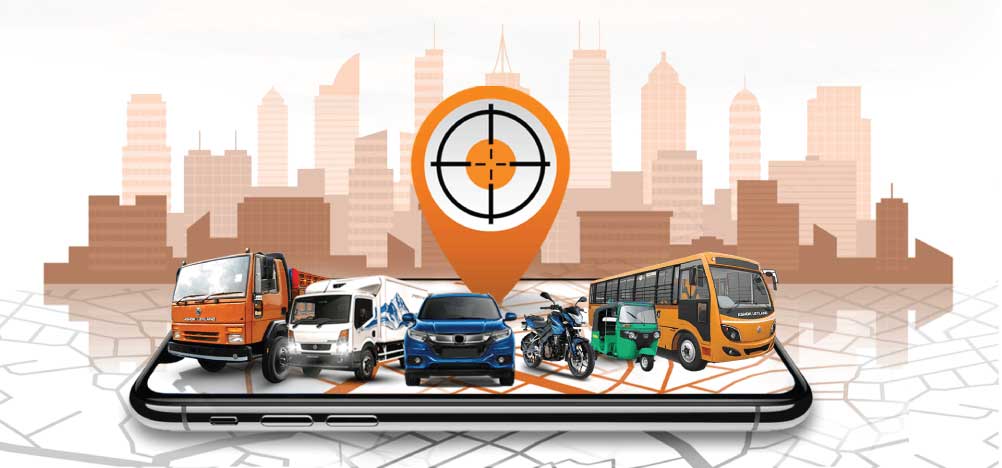
The iTracker app puts complete vehicle control in your pocket. Track your car, bike, truck, or entire fleet in real time, receive instant alerts, and manage all your tracking features from a single app on your Android or iOS phone — anywhere in Bangladesh, at any time.
Download on Google Play | Download on App Store
Free with your iTracker subscription. Works on Android and iOS. No extra charges.
What is the iTracker App?
The iTracker app is the mobile interface for iTracker’s GPS vehicle tracking platform. It connects directly to the GPS device installed in your vehicle and gives you real-time location data, alerts, trip history, and vehicle control features — all from your smartphone.
Once you have an iTracker subscription and your GPS device is installed, the app is your primary tool for monitoring and managing your vehicle every day. It is free to download and included with every iTracker subscription at no extra cost.
The app is available on both Android and iOS and works on all modern smartphones. You do not need a high-end phone to use it. The iTracker app is designed to be fast, responsive, and easy to use on any device.
How to Download the iTracker App
Downloading the iTracker app takes less than a minute.
For Android users:
Go to the Google Play Store on your Android phone, search for “iTracker” or tap the link below, and install the app. It is published by IFAD Information and Technology Limited.
Download iTracker on Google Play
For iOS users:
Go to the Apple App Store on your iPhone, search for “iTracker” and install the app published by IFAD Information and Technology Limited.
After downloading, log in using the credentials provided by our team after your GPS device installation is complete. Your vehicle appears on the dashboard immediately after login.
If you have not yet installed iTracker on your vehicle, visit our how it works page to understand the full process from inquiry to installation to app access.
Key Features of the iTracker App
Real-Time Live Tracking
Open the app at any time and see your vehicle’s exact current location on a live map. The map updates in real time so you always have an accurate picture of where your vehicle is and where it is heading. For fleet clients, all vehicles in your fleet appear on the same map simultaneously.
Instant Push Notifications and Alerts
The iTracker app sends push notifications directly to your phone for every important event. You receive alerts for overspeed events when your vehicle exceeds the speed limit you have set, engine on and off so you know every time your vehicle is started or stopped, geofence breaches when your vehicle enters or exits a zone you have defined, and sudden fuel drops that could indicate siphoning or theft.
Alerts arrive within seconds of the event so you can respond immediately without needing to open the app manually.
Remote Engine Shutdown
If your vehicle is stolen or used without your permission, you can shut down the engine directly from the iTracker app with a single tap. The command is sent instantly to the GPS device in your vehicle and the engine cuts out in a safe and controlled way.
This is one of the most powerful security features available in the app and works from anywhere in the world as long as your phone has an internet connection. Learn more on our remote engine shutdown page.
Trip History and Route Replay
The app stores a complete log of every trip made by your vehicle. You can review any past trip and see the full route on the map, check the start and end time, see where the vehicle stopped, how long it was parked, and what speed it traveled at throughout the journey.
For fleet managers, this is an essential tool for verifying driver trips, resolving disputes, and identifying route inefficiencies.
Geofence Setup and Management
Set up virtual zones directly from the app. Draw a boundary around any area — your home, office, warehouse, delivery zone, or school — and the app will notify you the moment your vehicle enters or leaves that boundary. You can set up multiple geofences for different vehicles and manage them all from one screen.
Speed and Engine Status Monitoring
The app shows your vehicle’s current speed and engine status at all times. You can see whether the engine is running or off, how fast the vehicle is moving, and receive an immediate notification if the speed exceeds your defined limit.
Fleet Dashboard for Multiple Vehicles
Corporate and fleet clients can manage all their vehicles from one app screen. Every vehicle in the fleet appears on the dashboard with its live location, engine status, and speed visible at a glance. Tap any vehicle to see its full detail, alerts, and trip history. This makes managing a fleet of any size straightforward from a single mobile screen. Visit our fleet management solution page to learn more about fleet-specific features.
Driver Behavior Reports
Fleet managers can access driver behavior data directly from the app. View overspeeding events, harsh braking, sudden acceleration, and idle time records for any driver on any trip. Weekly driver performance summaries are available within the app for quick review without needing to log into the web dashboard. Learn more on our driver behavior monitoring page.
Fuel Monitoring Dashboard
For vehicles with fuel monitoring sensors, the app displays current fuel levels in real time and sends alerts for unusual fuel activity. Fleet managers can check fuel levels across all vehicles simultaneously and access trip-level fuel consumption reports from within the app. See our fuel monitoring system page for full details.
SMS Backup for Critical Commands
In addition to app-based controls, iTracker supports SMS-based commands for critical functions like remote engine shutdown. If your phone temporarily loses internet access, you can still send commands to your vehicle via SMS. This backup option ensures you are never without control in low connectivity situations.
iTracker App vs Web Dashboard – Which Should You Use?
iTracker gives you access to your vehicle tracking data through two interfaces — the mobile app and the web dashboard accessible on a desktop or laptop browser. Both show the same real-time data and connect to the same platform.
The mobile app is best for day-to-day monitoring, receiving alerts, checking your vehicle’s current location, and taking quick actions like remote engine shutdown. It is designed for speed and convenience on the go.
The web dashboard is best for detailed fleet reporting, reviewing extended trip histories, managing complex geofence setups, and generating scheduled reports across large fleets. The larger screen makes it easier to work with data-heavy views.
Most individual vehicle owners use the app exclusively. Fleet and corporate clients typically use both — the app for day-to-day monitoring and the web dashboard for weekly and monthly reporting.
Who Uses the iTracker App in Bangladesh?
The iTracker app is used by a wide range of vehicle owners and businesses across Bangladesh.
Individual car owners use the app to monitor their vehicle’s location when it is with a driver, check if the car has been started unexpectedly, and activate remote engine shutdown if the vehicle is stolen.
Bike owners use the app to protect their motorcycle from theft with live tracking and instant movement alerts when the bike is parked.
Corporate fleet managers use the multi-vehicle dashboard to monitor all company vehicles simultaneously, receive driver alerts, and access fleet reports from their phone throughout the working day.
Logistics and delivery businesses use the app to track delivery riders and vans in real time, verify delivery routes, and manage driver performance across their entire operation.
School transport coordinators use the app to monitor all school buses in real time, receive route deviation alerts, and check arrival times at school and pickup zones. Learn more about our school bus tracking system.
Parents and families use the app to stay informed about the location of family vehicles and receive alerts when a vehicle starts or moves unexpectedly.
Is the iTracker App Free?
The iTracker app is free to download on both Google Play and the Apple App Store. However, the app requires an active iTracker GPS tracking subscription to function. The subscription covers the GPS device, installation, platform access, and all app features.
There is no separate charge for using the app. Everything is included in your iTracker subscription. Visit our pricing page for full subscription plan details or submit a price inquiry for a custom quote.
iTracker App System Requirements
The iTracker app works on all modern Android and iOS devices.
For Android, the app requires Android 5.0 or above. It is compatible with all major Android smartphone brands available in Bangladesh including Samsung, Xiaomi, Realme, OPPO, Vivo, and others.
For iOS, the app requires iOS 11.0 or above and is compatible with iPhone 6S and all later models.
The app requires an active internet connection — either mobile data or WiFi — to display live tracking data and receive push notifications. An internet connection is not required for SMS backup commands.
How to Set Up the iTracker App After Installation
Setting up the iTracker app after your GPS device is installed takes just a few minutes.
Step 1 — Download the iTracker app from Google Play or the Apple App Store on your phone.
Step 2 — Open the app and enter the login credentials provided by our technician or support team after your GPS device installation is complete.
Step 3 — Your vehicle appears on the map immediately after login with its live location showing.
Step 4 — Set up your preferred alert thresholds — overspeed limit, geofence zones, and engine notifications — from the settings menu within the app.
Step 5 — Contact our 24/7 support team at 09613-566-566 if you need any help with the app setup or feature configuration.
For a full walkthrough of the iTracker setup process from inquiry to installation to app activation, visit our how it works page.
Frequently Asked Questions About the iTracker App
Where can I download the iTracker app?
The iTracker app is available on Google Play for Android devices and on the Apple App Store for iOS devices. Search for “iTracker” and install the app published by IFAD Information and Technology Limited. You can also find the direct download link on the iTracker homepage at itracker.com.bd.
Is the iTracker app free to download?
Yes. The iTracker app is free to download. It requires an active iTracker GPS tracking subscription to access live tracking and all features. The app is included with every iTracker subscription at no extra charge.
Can I use the iTracker app without installing a GPS device?
No. The iTracker app connects to the GPS device installed in your vehicle. Without a GPS device installed and an active subscription, the app will not display any vehicle data. Contact our team at 09613-566-566 to get started with device installation.
Can I track multiple vehicles on one iTracker app account?
Yes. The iTracker app supports multi-vehicle tracking under a single account. All vehicles appear on the same map dashboard. Corporate and fleet clients can manage their entire fleet from one app login.
Does the iTracker app work on both Android and iPhone?
Yes. The iTracker app is available for both Android and iOS. It works on all modern smartphones running Android 5.0 and above or iOS 11.0 and above.
Can multiple people access the same iTracker account from different phones?
Yes. Your iTracker account can be accessed from multiple devices simultaneously. This is useful for corporate clients where fleet managers and supervisors need to monitor vehicles from different phones or devices at the same time.
What should I do if the iTracker app is not showing my vehicle's location?
First check that your phone has an active internet connection. If the connection is fine, call our 24/7 support team at 09613-566-566. Our team will check the device connectivity and resolve the issue remotely in most cases.
Does the iTracker app work when I am outside Bangladesh?
Yes. The iTracker app works on any phone with an internet connection regardless of your location. If you are abroad, you can still see your vehicle’s live location in Bangladesh and use all app features including remote engine shutdown.
Download the iTracker app today and take full control of your vehicle’s security and tracking from your phone. Already an iTracker customer? Download the app from Google Play or the App Store and log in with your account credentials.
Not yet an iTracker customer? Call 09613-566-566 (24/7 hotline) or submit a price inquiry to get started. Our team will have your vehicle tracked and your app active within days.