
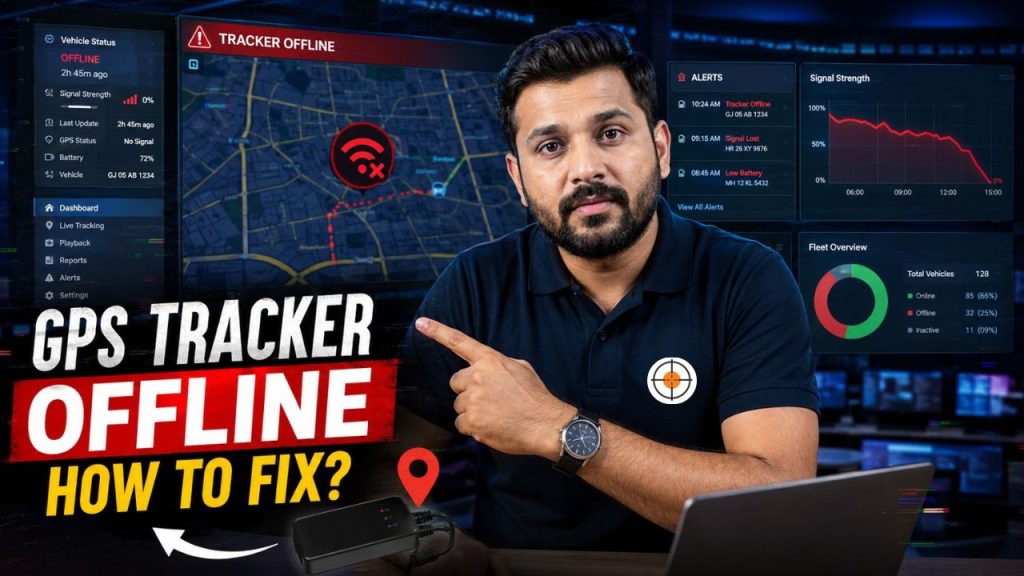
The frustration of a GPS tracker going offline can be intense, particularly if you’re using it for your vehicles’ safety, for fleet management, or for your safety. This is a frequent problem in Bangladesh and other areas, as it can be caused by network issues, SIM issues, device problems, or installation issues. If a tracker is offline, this doesn’t necessarily mean it’s down. In most instances the issue is temporary and can be solved. The primary causes of tracking issues and solutions to solve them are explained, so that users can quickly regain tracking and maintain the continuous real-time tracking. itracker is here to let you know how to fix GPS tracker offline issue!
Why GPS Trackers Go Offline
A GPS tracker can go offline for several reasons. Common causes include:
- Weak or no mobile network signal
- Expired or inactive SIM card
- Low device power or battery issues
- Server or app connectivity problems
- Incorrect installation or wiring issues
Identifying the root cause is the first step to fixing the problem.
1. Check SIM Card Status
Most GPS trackers use a SIM card for data connectivity. You should check:
- Is the SIM active?
- Is there enough data balance?
- Is the SIM properly inserted?
If the SIM is expired or out of balance, the tracker will stop sending data. Restarting the device after fixing the SIM often restores connectivity.
2. Ensure Proper Network Signal
GPS trackers depend on mobile network coverage. Problems may occur if:
- The vehicle is in underground parking
- The area has weak signal coverage
- The SIM operator has network issues
Try moving the vehicle to an open area and check if the device comes back online.Switching to a stronger network provider can also help.
3. Restart the GPS Device
Sometimes the simplest solution works best. Steps include:
- Turn off the vehicle ignition
- Disconnect the tracker power (if possible)
- Wait for 1–2 minutes
- Restart the system
This helps reset temporary software glitches and reconnect the device to the server.
4. Check Power Supply and Wiring
Hardwired GPS trackers depend on the vehicle’s battery. Issues may include:
- Loose wiring connections
- Blown fuse
- Battery drainage
- Faulty installation
If the device is not receiving power, it will go offline immediately. Professional inspection is recommended for wiring-related problems.
5. Verify Mobile App or Server Status
Sometimes the issue is not with the device but the platform. Check:
- Is the GPS tracking app working?
- Is the server temporarily down?
- Are other devices affected?
If the server is down, you may need to wait for the provider to fix it.
6. Update Device Configuration
Incorrect settings can also cause offline issues. Check for:
- Wrong APN settings
- Incorrect server IP or port
- Disabled data transmission mode
Reconfiguring the device using the provider’s instructions can restore connectivity.
7. Check GPS Signal Strength
A GPS tracker needs satellite signals to work properly. Problems occur when:
- The device is installed under metal surfaces
- The antenna is blocked
- The vehicle is in a closed environment
Ensure the tracker is installed in an open position for better satellite reception.
8. Inspect Device Hardware
If all else fails, the device itself may be faulty. Signs of hardware issues:
- Frequent disconnections
- No response after restart
- Overheating or physical damage
In such cases, replacement or repair may be necessary.
Contact Your GPS Service Provider
If your GPS tracker remains offline after basic troubleshooting, contacting your service provider is the most effective solution. Professional GPS companies can remotely check your device status, server connection, and SIM configuration to identify the exact issue. A reliable provider will offer technical support, including:
- Remote diagnostics of the tracker
- SIM and network troubleshooting
- Software or app configuration updates
- Guidance for hardware inspection or replacement
In Bangladesh, many GPS tracking issues are resolved quickly through provider support because they have access to backend systems that users cannot see. This makes it easier to detect whether the issue is related to the device, network, or platform. Choosing a GPS company with strong customer support is essential. It ensures faster problem resolution and minimizes downtime, especially for business fleets or security-sensitive vehicles.
Preventive Tips to Avoid Offline Issues
You can reduce future problems by following these tips:
- Use a reliable SIM card with stable coverage
- Keep sufficient data balance
- Install the tracker in a secure, open location
- Regularly check device status
- Avoid tampering with wiring
Preventive care ensures smoother and uninterrupted tracking.
Common Mistakes Users Make
Avoid these mistakes:
- Ignoring SIM expiry or data balance
- Poor installation placement
- Delaying troubleshooting
- Using low-quality GPS providers
- Not updating device settings
These errors often lead to repeated offline issues.